Getting started
Install Argus, run it once, and read the dashboard footer.
Argus reads the transcripts Claude Code and Codex already write, keeps them in a local SQLite archive, and serves a dashboard on localhost. Nothing is uploaded and nothing is sent anywhere.
What you need
- Python 3.11 or newer.
- Data from at least one supported agent: a
~/.claude/directory, which exists once you have used Claude Code, or a Codex home with asessions/orarchived_sessions/folder, which exists once you have used Codex. You need only one; Argus reads whichever it finds.
For Claude Code, Argus reads three things under ~/.claude/ and never writes there:
| Path | What it is |
|---|---|
~/.claude/projects/<project>/<session-id>.jsonl | One transcript file per session |
~/.claude/projects/<project>/<session-id>/subagents/… | Transcripts of sub-agents that session spawned |
~/.claude/history.jsonl | Every prompt you have typed, across projects |
The Claude Code location is fixed at ~/.claude. There is no flag or environment variable to point Argus somewhere else.
For Codex, Argus reads $CODEX_HOME, or ~/.codex when that variable is not set, and opens only the rollout files under its sessions/ and archived_sessions/ folders. Supported agents has the per-agent details.
Install and run
pip install argus-code        # or: uv tool install argus-code
argus start
argus start prints a few lines, then opens your browser at http://127.0.0.1:4242:
| Line | Meaning |
|---|---|
Detected adapters: claude_code, codex | Which agents it found: claude_code for ~/.claude/, codex for a Codex home. You see only the ones present |
Argus: ingesting recent sessions... | Transcripts modified in the last 30 days are being read now, before the dashboard opens |
Argus: foreground ingest complete (412/1183 files), starting watcher... | Recent files done, older ones continue in the background, and a file watcher now picks up new activity as it happens |
Loaded 3 detectors: ['cache_hit_drop', 'cost_spike', 'tool_error_rate_spike'] | The alert detectors are scheduled |
Argus running at http://127.0.0.1:4242 | The dashboard is up |
Press Ctrl+C to stop. Argus prints Argus stopped. and shuts down cleanly.
If it exits immediately
No agent data found. Argus reads Claude Code from ~/.claude/ and Codex from $CODEX_HOME or ~/.codex/ -- run one of them first. means Argus found neither a ~/.claude/ directory nor a Codex home with a sessions/ or archived_sessions/ folder. Run Claude Code or Codex once, then try again. If the message mentions FTS5, your Python's SQLite was built without full-text search; use the official CPython build.
The first run
Argus splits your transcripts by file age. Files modified in the last 30 days are read in the foreground, and the browser opens only when they are done. The README quotes 5 to 10 seconds for a typical install. Everything older is read afterwards in a background thread while you already use the dashboard.
The background pass also re-reads sessions that are missing derived data, for example tool calls or search segments. That pass is capped at 200 sessions per run, so a large archive converges over a few starts rather than one. If some older session looks incomplete, restart Argus once or twice.
Reading the sidebar footer
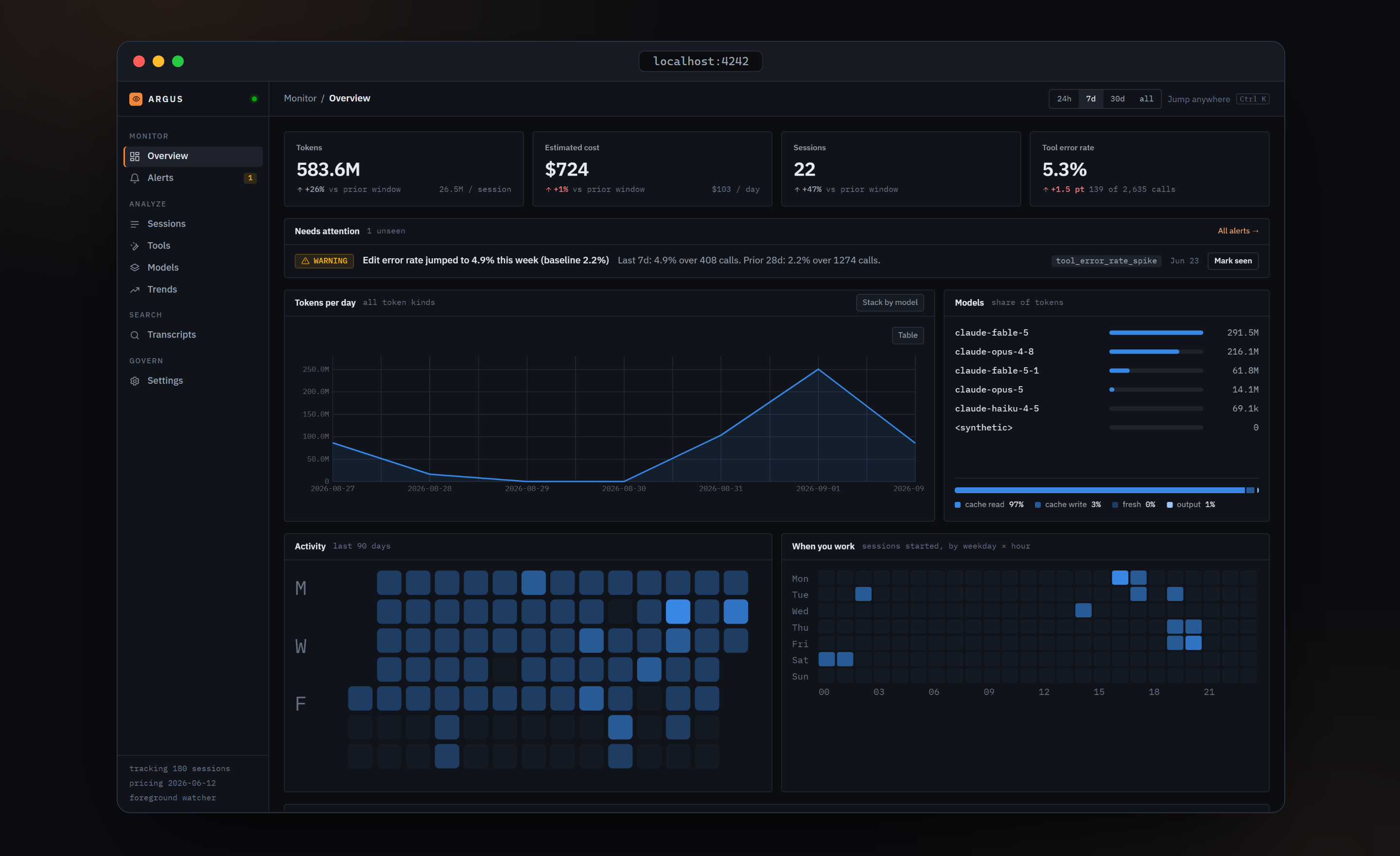
The bottom of the dashboard sidebar has three monospace lines:
ingesting 412/1183while transcripts are being read, thentracking 180 sessions. Before the first response it saysconnecting….pricing 2026-10-04: the version of the price table used for cost estimates.foreground watcherwhen thisargus startis doing the ingestion, orargusd daemonwhen the background daemon owns it.
The dot next to the ARGUS wordmark is green when idle and amber and pulsing while ingesting.
Where Argus keeps its data
Everything lives in ~/.argus/:
| File | Purpose |
|---|---|
argus.db (plus -wal, -shm) | The SQLite archive: sessions, turns, tool calls, alerts, and the optional search index |
argusd.pid | Present only while the background daemon runs |
argusd.log (plus .1 to .3) | Daemon log, rotated at 1 MB |
pricing/<date>.json | Price tables downloaded by argus pricing refresh, if you ever ran it |
templates/<name>/ | Templates you saved with argus claude template create |
Every command accepts --data-dir <path> to use a different directory. Argus has no config file and no environment variables of its own (the only one it reads is Codex's CODEX_HOME, to find Codex data); the only persisted setting, transcript indexing, is a row inside the database.
Argus never deletes sessions from its archive. Claude Code rotates its own transcripts after a while, but a session Argus has already ingested stays in argus.db until you run argus wipe.
Next steps
- CLI reference: every command and flag.
- Search & privacy: turn on full-text search over transcripts, and what stays on your machine.
- The dashboard: what every number and colour means.
Verified against argus-code 0.7.0.