Transcripts search
Searching prompts, replies, thinking and tool output with FTS5.
Full-text search over everything you typed and everything Claude wrote. At /search, under SEARCH in the sidebar. Requires transcript indexing to be on.
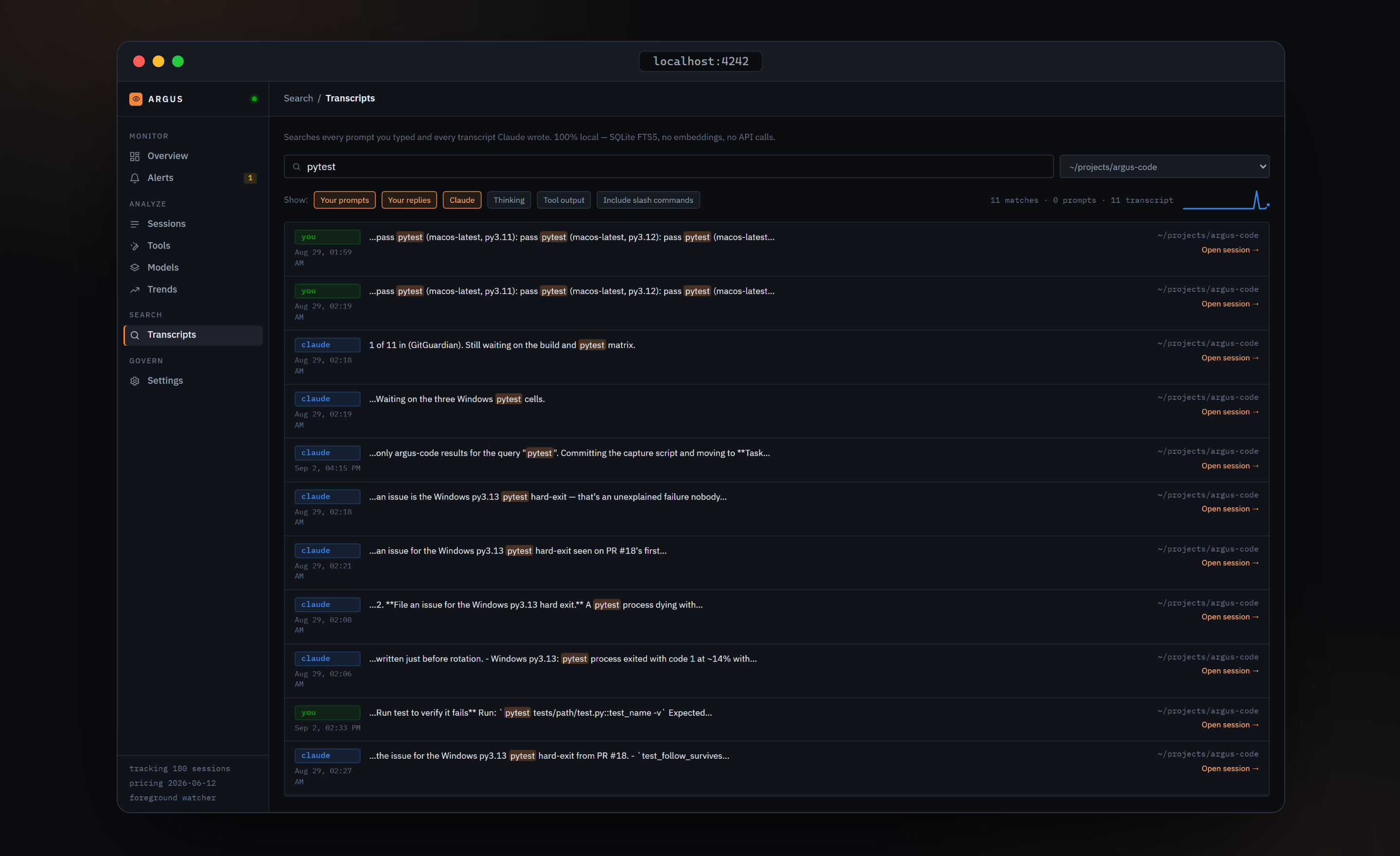
The page describes itself: "Searches every prompt you typed and every transcript Claude wrote. 100% local — SQLite FTS5, no embeddings, no API calls."
With indexing off, every search returns 'No matches.'
The banner shown when indexing is off says only your prompts remain searchable. The search endpoint actually returns nothing at all until indexing is enabled, prompts included. Use the Enable indexing button in the banner, which does the same as the one in Settings.
Controls
- Search box, focused on load. Searching starts at two characters, 250 ms after you stop typing.
- Project dropdown, "All projects" by default.
- Role chips choose what is searched:
| Chip | What it covers | Default |
|---|---|---|
| Your prompts | Prompts from ~/.claude/history.jsonl, across projects | on |
| Your replies | Your messages inside a session transcript | on |
| Claude | Claude's replies | on |
| Thinking | Extended-thinking blocks | off |
| Tool output | What tools returned | off |
- Include slash commands adds prompts like
/committo the results; they are excluded by default. - Once results arrive, the right side reads
205 matches · 9 prompts · 196 transcriptnext to a sparkline of hits per day over the last 30 days.
Results are capped at 200 per query. Ranking is BM25.
Result rows
Each row has a role pill on the left, you in green for prompts and your replies, claude in blue for Claude's replies, and the raw role in grey otherwise, with the local time beneath it. The middle is the snippet with matches highlighted in orange. Claude Code's own command wrappers, such as <command-name>, are stripped from the display but kept in the index. +1,204 pasted chars appears when the original prompt included pasted content. On the right, the shortened project path and an Open session → link when the hit can be tied to a session; prompts are linked to sessions by project and timestamp.
Highlights come from FTS5 snippets and are rendered as text runs, never as HTML.
Empty states
"Type at least two characters to search." before a query, "Searching…" in flight, and "No matches." when nothing was found.
Related
- Search & privacy: what indexing stores, the two ways to enable it, and what never leaves your machine.
- The session Timeline's Find in session box searches a single session's transcript.
Verified against argus-code 0.5.2.